What's visible in the frame
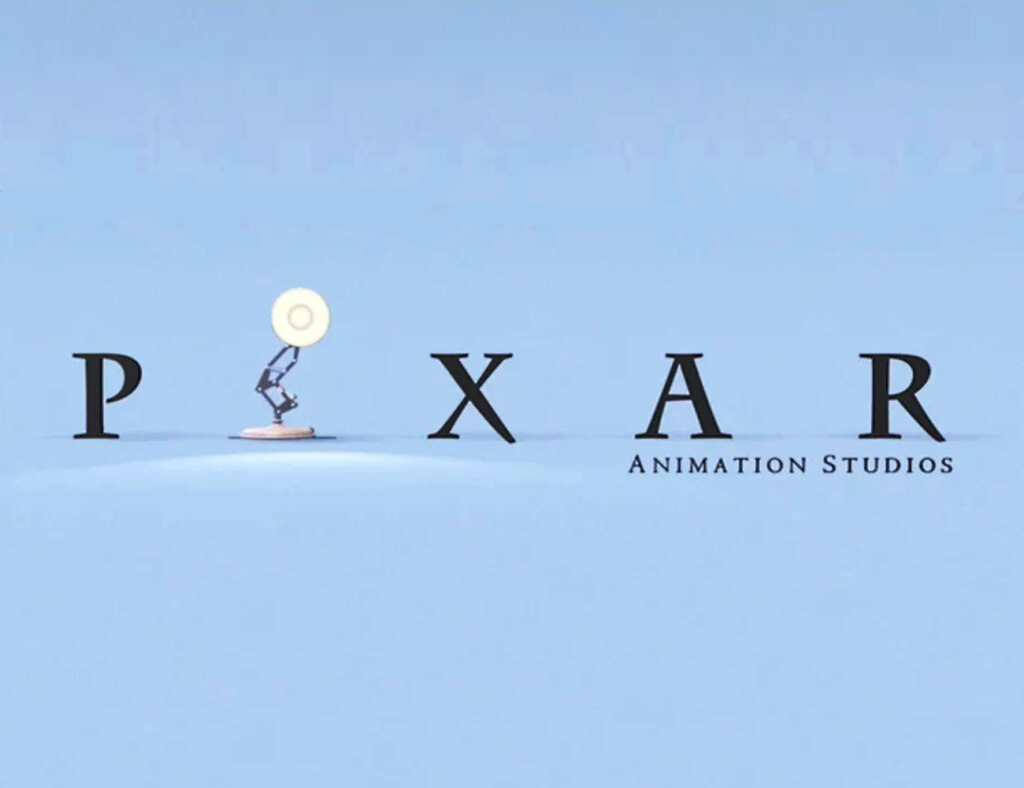
On a light blue background, dark letters P, X, A, R stand in a row, and in place of the second letter stands a desk lamp. Its body is built from thin articulated links, with a round light cream shade on top and a round base below. To the right, beneath the letters A and R, small text reads Animation Studios. The surface is smooth, like a stage without a horizon, and a soft pool of light lies under the lamp.
The main detail of the image: the word reads as PIXAR even though there is no letter I. The viewer fills in the missing piece on their own, and that is exactly what makes the frame a handy template for replacing one element in a familiar sequence.
Where the lamp came from
Luxo Jr. is the star of the eponymous Pixar short film, released in 1986. It was directed by John Lasseter. The film was created entirely on a computer; in it two lamps, a big one and a small one, play with a ball. The short received an Oscar nomination in the animated short film category.
Reportedly, the lamp's image is based on a desk lamp of the Luxo brand. The small lamp behaves like a child: it has a big head and a small body, and its movements recall a curious little kid. All emotions are conveyed only through tilts of the body and shade, with no face and no voice.
How the lamp became the logo
In the studio's opening sequence the lamp comes onto the screen, hops into the place of the letter 'I' and becomes part of the name. Since then it has been perceived as the studio's sign: there is no narration, but the viewer understands that a Pixar film is about to begin.
Exact dates when this device became established in the opening sequences are not given: accounts of the first uses differ. What matters is this: the lamp was a character from the start, not just a symbol, which is why it is recognized in any setting.
Examples of captions and why they work
All examples are made up; these are not quotes from real publications.
'The report is ready, all the numbers are in place except one, and in its spot stands a lamp.' Expectation: the numbers stand exactly. Surprise: one of them is replaced by an object, and the reader realizes the report is no longer the same.
'To-do list: eat, call, sleep, and instead of the last item stands a lamp.' The shift in expectation lies in a list being supposed to be text, with one item replaced by an object.
'Café sign: opening hours, address, and in the middle of a word, instead of one letter, a lamp.' A clear line of text gets the same glitch as the letters in PIXAR, and the eye fills in the missing letter itself.
'The expense table is ruled into rows, and in the "miscellaneous" column, instead of a sum, a lamp is drawn.' This image repeats the logic of the logo: the lamp takes the place of a value that nobody bothered to calculate.
How to use this template
Use the frame for situations where one small thing unexpectedly replaces a whole: a plan, a list, a report. The lamp must be tied to the text, otherwise the gesture doesn't read: the viewer must recognize the missing letter and see its replacement.
If the caption is long, keep one central storyline in it. The opening sequence is short and clean, so the text is best kept short too. The 'word with a missing detail' format works well: it leaves the reader to notice the substitution themselves.